How to Convert a Sales Quote to a Sales Order
Sales Quote (SQ) release creates the linked Sales Order (SO). The path to release depends on the instance's Sales Quote release mode.
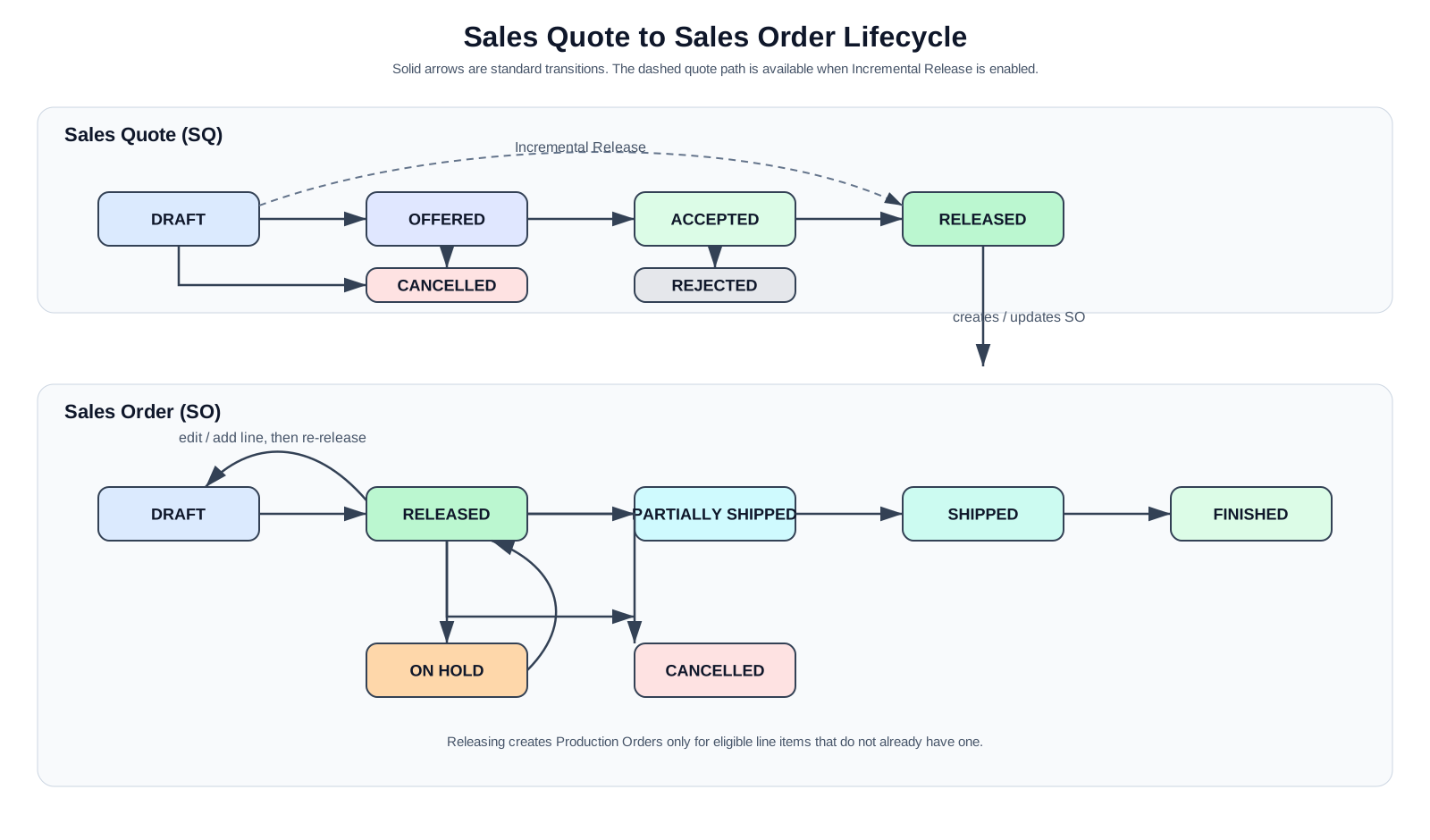
Standard approval workflow
- Start with a DRAFT Sales Quote and add at least one line item.
- Move it to OFFERED when it is sent to the customer.
- Move it to ACCEPTED when the customer approves it.
- Move it to RELEASED to create the linked Sales Order. If an order is already linked, Velosity synchronizes new quote lines and items to it.
When payment is required
If the administrator has enabled Payment Required for Sales Quotes, complete payment after the quote is ACCEPTED. Payment is recorded on the quote rather than the Sales Order. A paid card transaction or an approved customer Purchase Order creates the fulfillment Sales Order. See Payments and Checkout.
Incremental Release workflow
When Incremental Release is enabled, a Draft Sales Quote with at least one line item can move directly to RELEASED. A Released quote can also return to Draft to add diagnosis or repair scope; this does not remove its linked order or Production Orders. This supports creating or updating work incrementally without the Offered/Accepted path.
See Sales Quote Status Workflow for the complete status transition table.
Release the Sales Order to production
The linked Sales Order begins in DRAFT. Review its details, then use Update Status → Released. This creates Production Orders for eligible Sales Order line items that do not already have one.
If a new configured line is added to a released SO, return the SO to DRAFT, add the line, and release it again. Existing Production Orders are preserved; the new line receives its Production Order on the second release.
See Sales Order Status for the complete SO lifecycle.